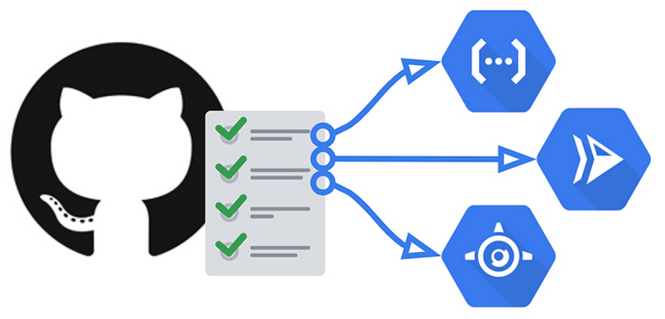
For CI/CD there are many options in the market that can be used as a self-hosted services, like Jenkins, Github Actions, Gitlab CI, Drone CI, Woodpecker CI. And many others proprietary tools that are used by Cloud Providers (AWS, Azure, GCP), PaaS platforms have their own tools also (Heroku, Vestel, Render), other platforms use their custom built in-house solutions, like Netflix (Spinnaker) and Meta (Custom CI/CD at scale) for example.
For the sake of simplicity, the next step after the example i gave here, is to use a tool to automate all the steps, Github actions is a good option because all the builds will be made in the Github servers and we can configure the deploy by connecting into our self hosted machine and upload the image there.
Github Actions
With github actions we don’t need to host a control version system like Gitlab or Gitea,
we can use our own repositories and we just need to create a file under .github/workflows/deploy.yml with instructions of every step we did manually.
- Build and Package with Maven
- Build and Push Docker image (we will use Github Packages)
- Deploy on Server by connecting through ssh and executing remotely the
docker runcommand
Here is the deploy.yml file:
name: CI/CD to Server

on:
  push:
    branches: [ master ]

jobs:
  build-and-deploy:
    runs-on: ubuntu-latest
    steps:
      - name: Checkout
        uses: actions/checkout@v4

      - name: Set up JDK 17
        uses: actions/setup-java@v3
        with:
          java-version: '17'
          distribution: 'temurin'

      - name: Build with Maven
        run: mvn -B package -DskipTests

      - name: Log in to GitHub Container Registry
        uses: docker/login-action@v3
        with:
          registry: ghcr.io
          username: ${{ github.actor }}
          password: ${{ secrets.CR_PAT }}

      - name: Build and Push Docker image
        uses: docker/build-push-action@v5
        with:
          context: .
          file: Dockerfile
          push: true
          tags: ghcr.io/${{ github.repository }}-app:latest

      - name: Deploy on Server
        uses: appleboy/ssh-action@v0.1.10
        with:
          host: ${{ vars.SERVER_IP }}
          username: ${{ secrets.SSH_USERNAME }}
          key: ${{ secrets.SSH_PRIVATE_KEY }}
          port: ${{ vars.SSH_PORT }}
          script: |
            docker login ghcr.io -u ${{ github.actor }} -p ${{ secrets.CR_PAT }}
            docker pull ghcr.io/${{ github.repository }}-app:latest
            docker stop springing || true
            docker rm springing || true
            docker run -d --name springing -p  8181:8181 -e MONGODB_URI='${{ secrets.MONGODB_URI }}' ghcr.io/${{ github.repository }}-app:latest
We will need to create a token on https://github.com/settings/tokens with write/read/delete packages scopes and then copy the value of the token into CR_PAT secret in the Secrets -> Actions on repo settings, other than that, we will also need to add the necessary information to connect to the server where the deploy is going to be made: SERVER_IP, SSH_USERNAME, SSH_PRIVATE_KEY, SSH_PORT, MONGODB_URI.
We need to have a ssh port exposed to the outside world and we need to setup an ssh key
With this configuration, after a push to master branch, the Github Action pipeline will run and proceed to deploy the docker container into our self-hosted server