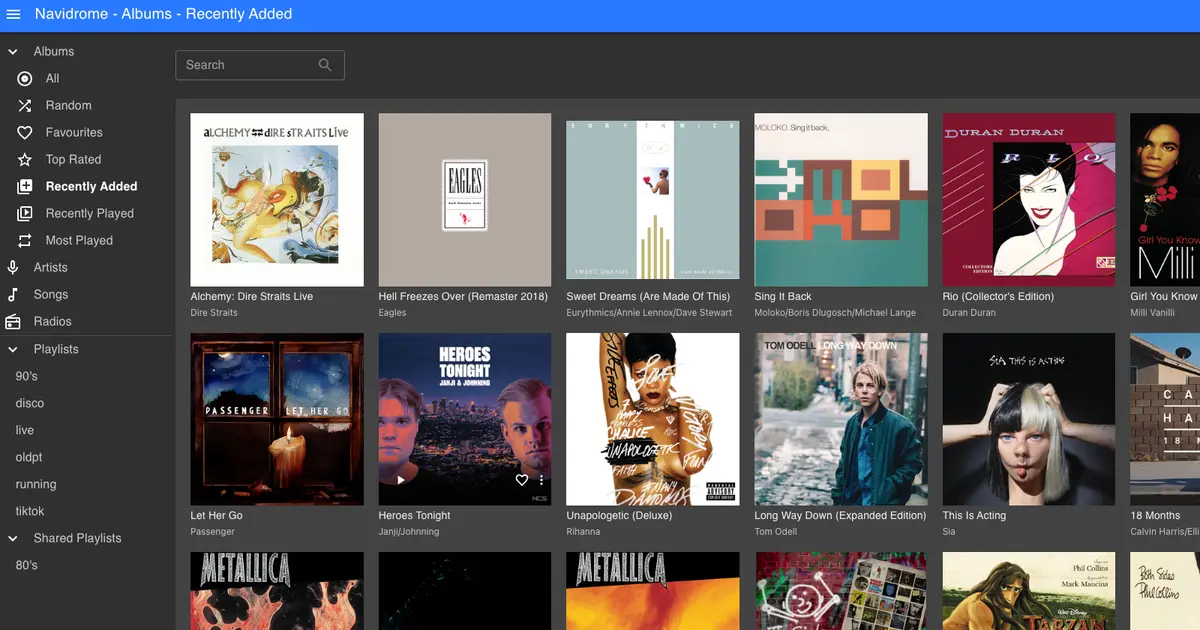
I will document here how i use a reverse proxy to share my personal music streaming service with a friendly url. Even though the installation of navidrome is simple, the article main purpose is to be a reference on how to make internal network resources available to the outside world using nginx as reverse proxy secured with SSL/TLS certificate from Let’s Encrypt.
The following commands were used:
# test nginx config file
sudo nginx -t

# reload/start/stop nginx
sudo systemctl reload nginx

# create symbolic link
ln -s /etc/nginx/sites-available/myhome /etc/nginx/sites-enabled/myhome
After following the instructions to install navidrome with docker a forward rule in my router on port 4533 is needed to point to my internal computer where the navidrome docker container is. Even though this works well, the access address has the port in it, which is difficult to remember specially if you have more containers being accessed using this process. The address looks like this:
This can be accomplished using a reverse proxy. I have nginx server installed in the same computer that has the docker containers with my service. I changed the forward rule of my router to forward the 80 and 443 port to the computer that has nginx installed. We also need to configure navidrome base URL to work behind proxies, in the case of navidrome that configuration is done through ND_BASEURL environment variable, here is the docker compose example:
services:
  navidrome:
    image: deluan/navidrome:latest
    user: 1000:1000 # should be owner of volumes
    ports:
      - "4533:4533"
    restart: unless-stopped
    environment:
      ND_BASEURL: /navidrome
      ND_SCANSCHEDULE: 1h
      ND_LOGLEVEL: info
      ND_SESSIONTIMEOUT: 24h
    volumes:
      - "/home/memyself/docker-apps/navidrome/data:/data"
      - "/home/memyself/docker-apps/navidrome/music:/music:ro"
Instead of port 80 we can use 443 for HTTPS with a self signed TLS from LetsEncrypt. To accomplish that we need to install certbot client to fetch a certificate from LetsEncrypt.
sudo apt-get install certbot python3-certbot-nginx
To use this tool nginx needs to be temporarily stopped, then you can run the certbot in standalone mode to get the certificate.
sudo certbot certonly --standalone -d myhome.ddns.net
Check the certification validity:
sudo openssl x509 -in /etc/letsencrypt/live/myhome.ddns.net/fullchain.pem -noout -dates
Renew the certificate when expired:
sudo certbot renew
The nginx config file
server {

        server_name myhome.ddns.net;
        listen 443 ssl default_server;
        listen [::]:443 ssl default_server;

        # TLS configuration
        ssl_certificate /etc/letsencrypt/live/myhome.ddns.net/fullchain.pem;
        ssl_certificate_key /etc/letsencrypt/live/myhome.ddns.net/privkey.pem;

        ssl_protocols TLSv1.2 TLSv1.3;
        ssl_prefer_server_ciphers on;

        location ^~ /navidrome {

                proxy_pass http://192.168.1.3:4533/navidrome;
                proxy_set_header Host $host;
                proxy_set_header X-Real-IP $remote_addr;
                proxy_set_header X-Forwarded-For $proxy_add_x_forwarded_for;
                proxy_set_header X-Forwarded-Proto $scheme;
                proxy_set_header X-Forwarded-Protocol $scheme;
                proxy_set_header X-Forwarded-Host $http_host;
                proxy_buffering off;
        }
}